from indicator to invoice.
A small agent on your weighbridge PC reads the scale. Everything else runs in the cloud, so the office, the owner and your customers all see the same record as it happens.
how the pieces connect.
Only one thing is installed at the site. It connects out to Infraweigh over an encrypted tunnel, so your network stays closed.
Weight can't be faked
The weight on a bill comes from the agent's latest reading, never from the browser. A reading older than two seconds is refused.
Sites look after themselves
Agents report in every 30 seconds, pick up settings changed in the office, update themselves and roll back if an update fails.
Problems reported to you
If a site goes offline or its scale stops reading, your admins get an email, and another when it's back.
from ramp to receipt.
This is what your operator does for every truck. A typical two-pass weighment takes a few clicks per pass.
Truck on the platform
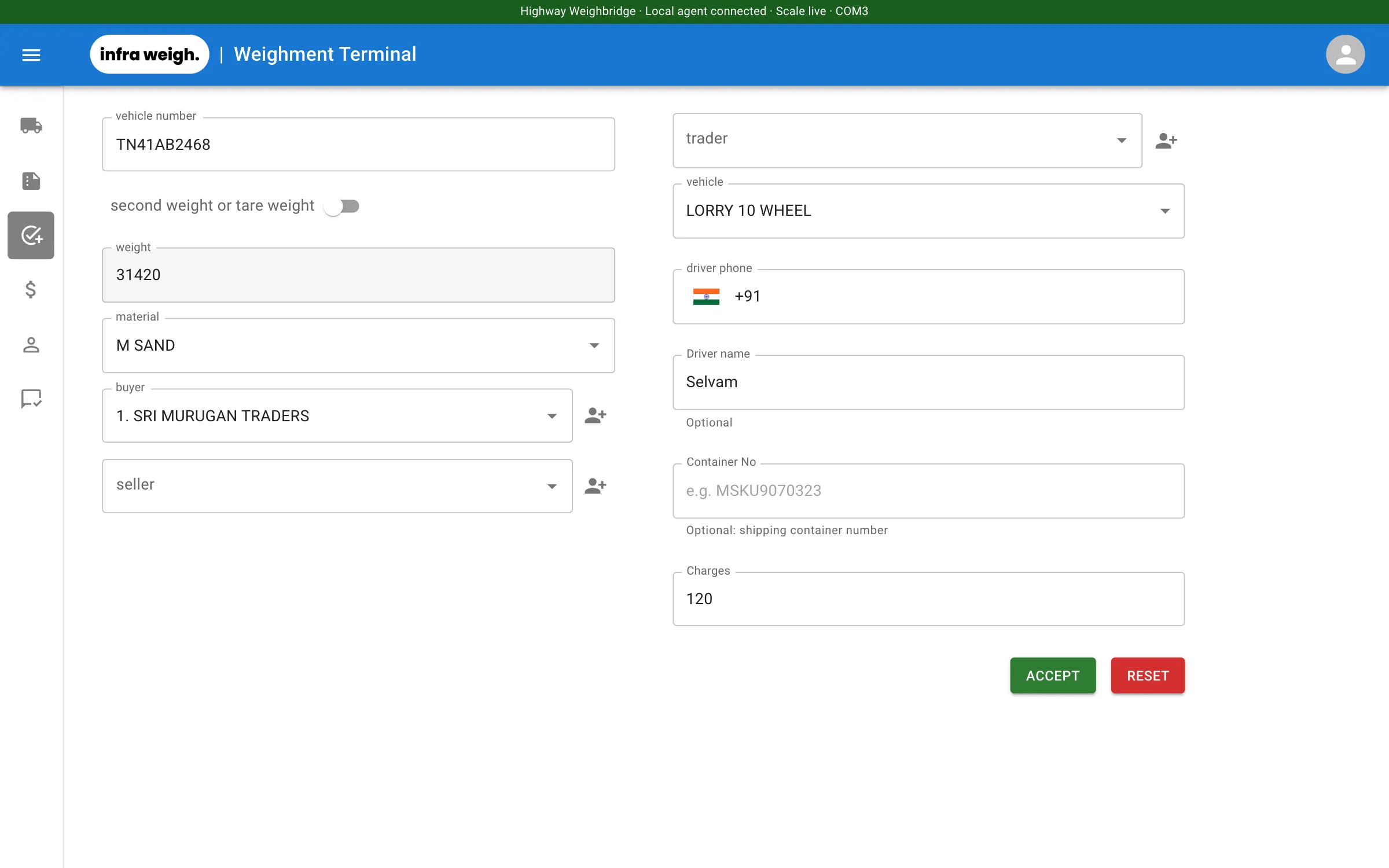
The indicator streams weight. The operator's screen shows it live, with Live and Stable lamps, and so does every office screen.
Details picked, not typed
Party, vehicle and material are found as you type, or by customer number. Buyer, seller and trader can all be on one ticket.
Accept
The agent hands over the current scale reading and the cameras take their snapshots. If the reading is stale, Accept stays disabled.
Second weighment
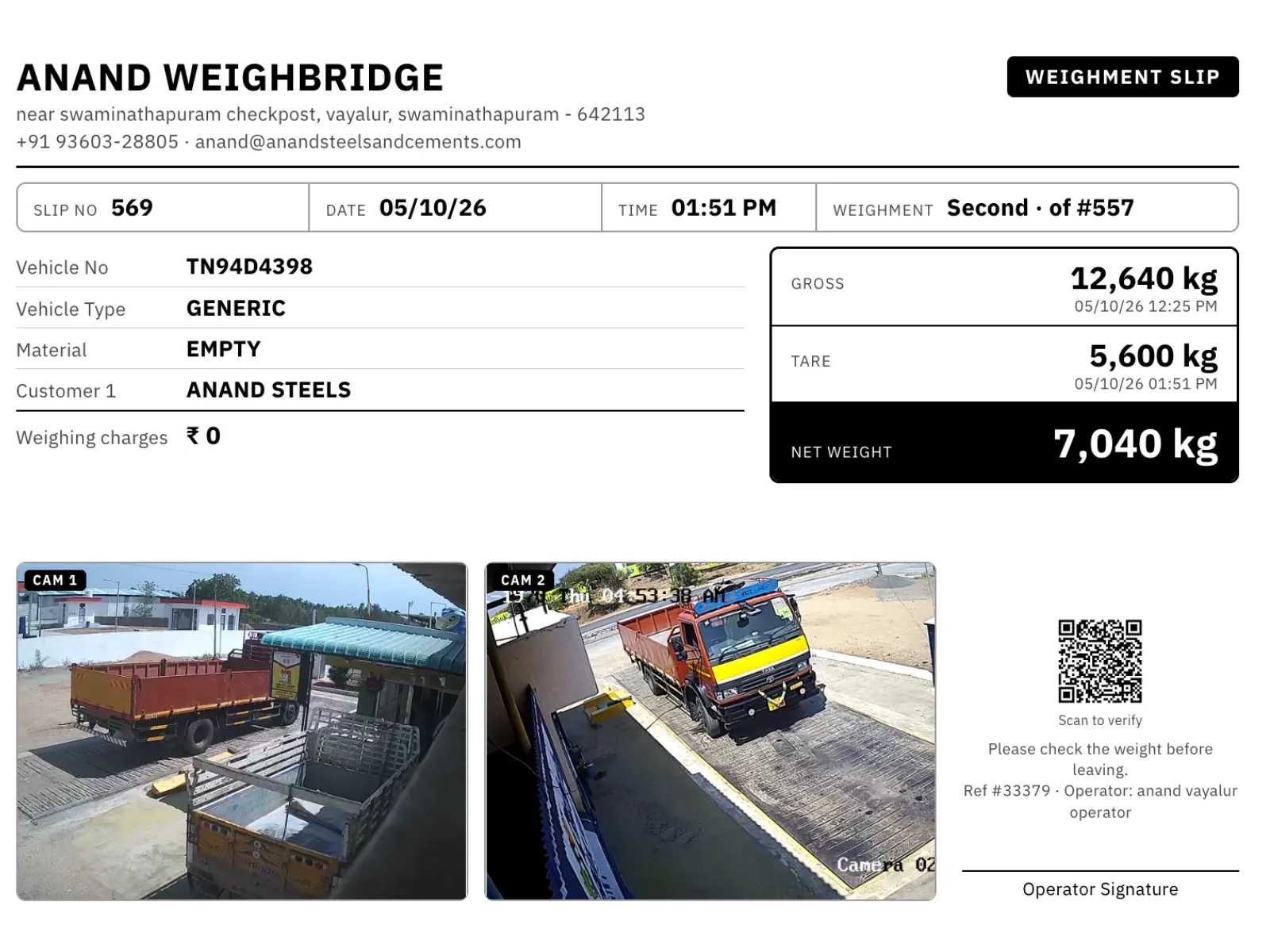
When the truck returns, pick its open ticket. Infraweigh works out net weight whether it came in loaded or empty.
Payment & slip
Take cash, UPI, card or bank, or post to credit if Accounts is on. Your own material has no charge, just inward, outward or transfer. The slip prints in that customer's preferred format.
Everyone informed
Each party gets the bill on WhatsApp, SMS or email. The office dashboard and the customer's portal update straight away.
live in a day.
Installation, data import and training are free, and done by us. Most sites weigh their first truck on Infraweigh the day we install.
Demo & free trial
We show Infraweigh running on a live scale, then open your 14-day trial. You don't need a card.
Your business set up
We create your account at your own web address, add your weighbridges, staff and slip format.
Old data brought across
Customers, vehicles and materials are imported from your current software or spreadsheets, so operators recognise every name.
Site PC installed
We run the installer on the weighbridge PC, enter a one-time code and connect your indicator and cameras.
Operators trained, live
We do a real weighment end to end with your team: slip printed, bill on WhatsApp. Then you're live.
what you need on site.
Most weighbridges already have all of this. If something is missing, we can supply it.
Weighing indicator
Any indicator with continuous output over RS-232 or a USB-serial adapter. We configure the baud rate and frame format for your model.
Weighbridge PC
A Windows 10 or 11 PC near the indicator. The agent runs as a background service and starts with Windows.
Internet
A stable broadband or 4G connection at the site. No static IP or port forwarding needed.
Printer
Any printer your PC can print to: A4 or A5 laser/inkjet, thermal roll, or your pre-printed stationery.
Cameras (optional)
Up to two IP cameras with a snapshot URL. A photo is saved with every weighment.
Office
Any computer, laptop or tablet with a modern browser (Chrome or Edge). There's nothing to install.
Need hardware too?
We can source and set up a weighbridge PC, slip printer, IP cameras and indicator cabling. We quote for these separately.
a real person, on WhatsApp.
Message or call us during working hours (Mon–Sat, 9:30 am – 7 pm IST). Because every site reports its health, we can often see the problem before you finish describing it.
- Remote diagnostics of the site PC and scale connection
- New features and fixes delivered automatically
- Help with slip formats, reports and setup
put your weighbridge on record.
Try Infraweigh free for 14 days. We install it, import your old data and set up your slip format, at no charge.