the whole weighbridge office.
Weighing for a fee or for your own stock, billing, credit, tax, reporting and customer service are built as one system, in the cloud. Every bill is saved online the moment it's made. Every feature here comes with every plan.
weighed at the site, saved online.
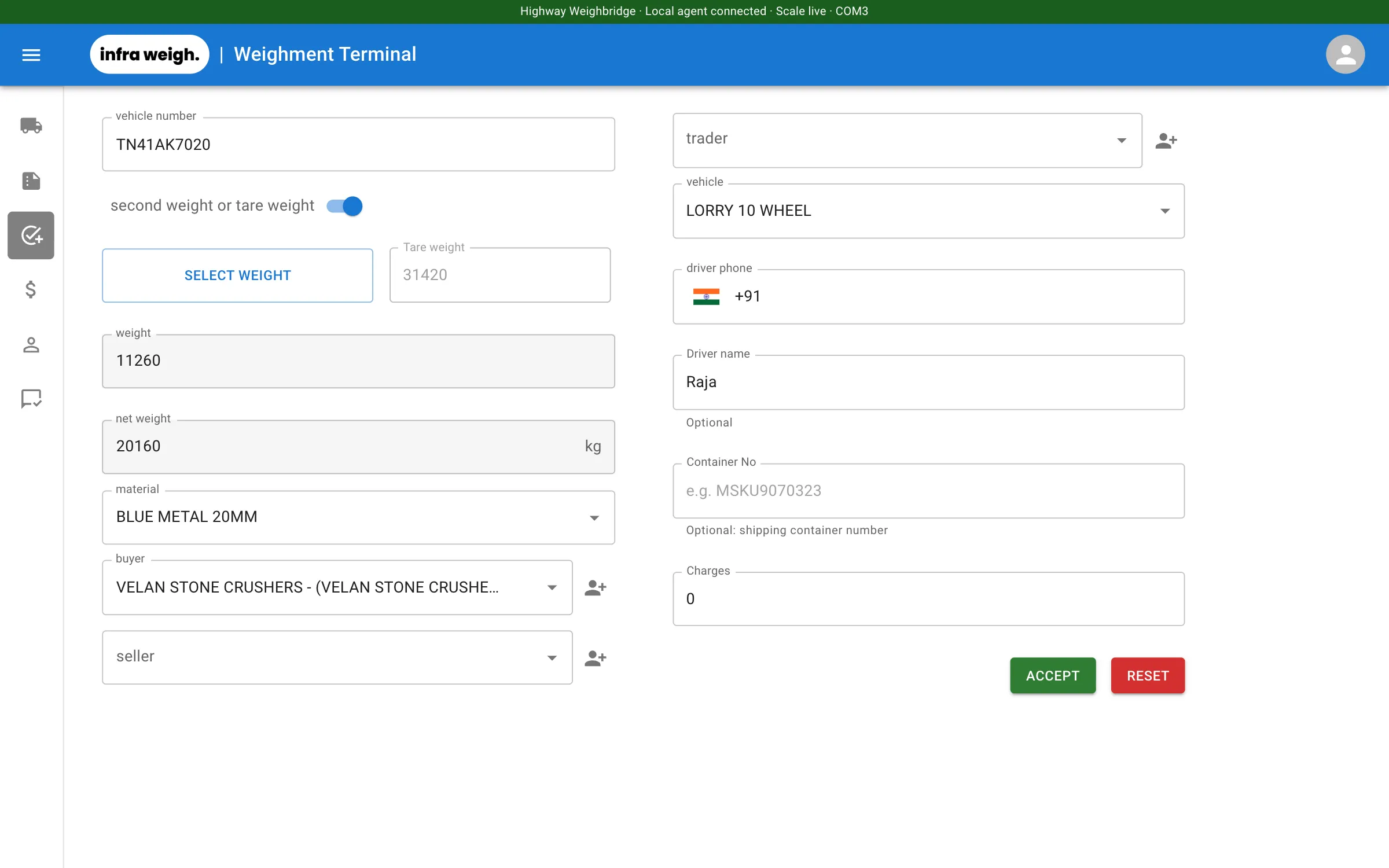
A small agent on the weighbridge PC reads your indicator, like any weighbridge software. The difference: each bill is saved to the cloud the moment the operator presses Accept, and the office sees the live weight too.
- Reads indicators over RS-232 or USB-serial, set up from the office
- If no fresh reading arrives for 2 seconds, the display blanks and Accept is disabled
- The saved weight is taken from the agent, never from what's on screen
- Second weighments link to the first, so gross, tare and net are always paired correctly
- Parties, vehicles and materials come up as you type, or by customer number
know what came in and what went out.
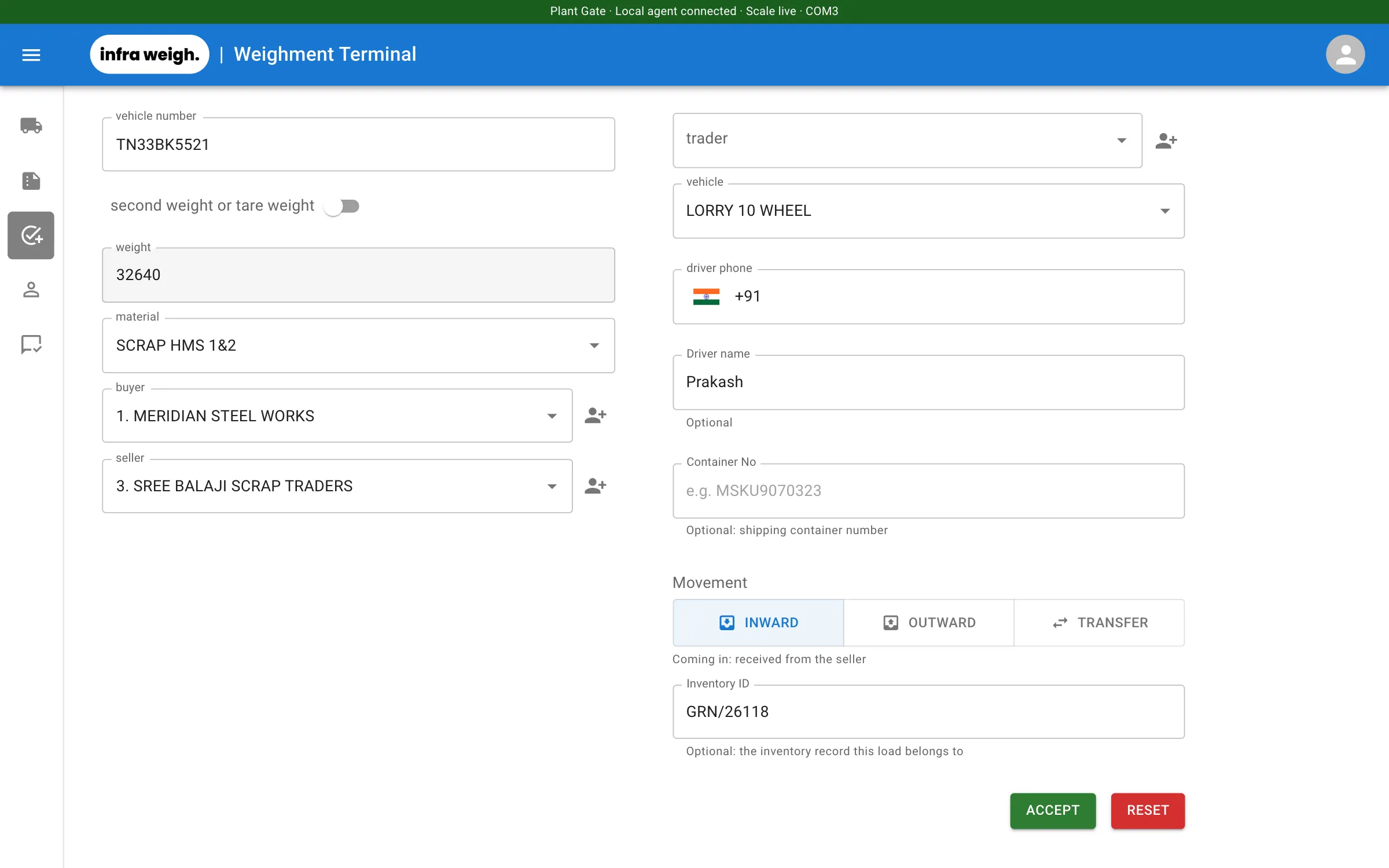
For plants, yards and traders weighing their own stock. There's no fee to collect, so there's nothing to settle: each trip records which way the material moved.
- Inward, outward or transfer between your own units on every trip
- Optional inventory ID (GRN, delivery challan or transfer note) printed on the slip
- The second weighment carries the direction and inventory ID over from the first
- Run a weighbridge as private, public, or both: your own companies on a bill make it your material
- Trucks still inside are listed live, with how long they've been there
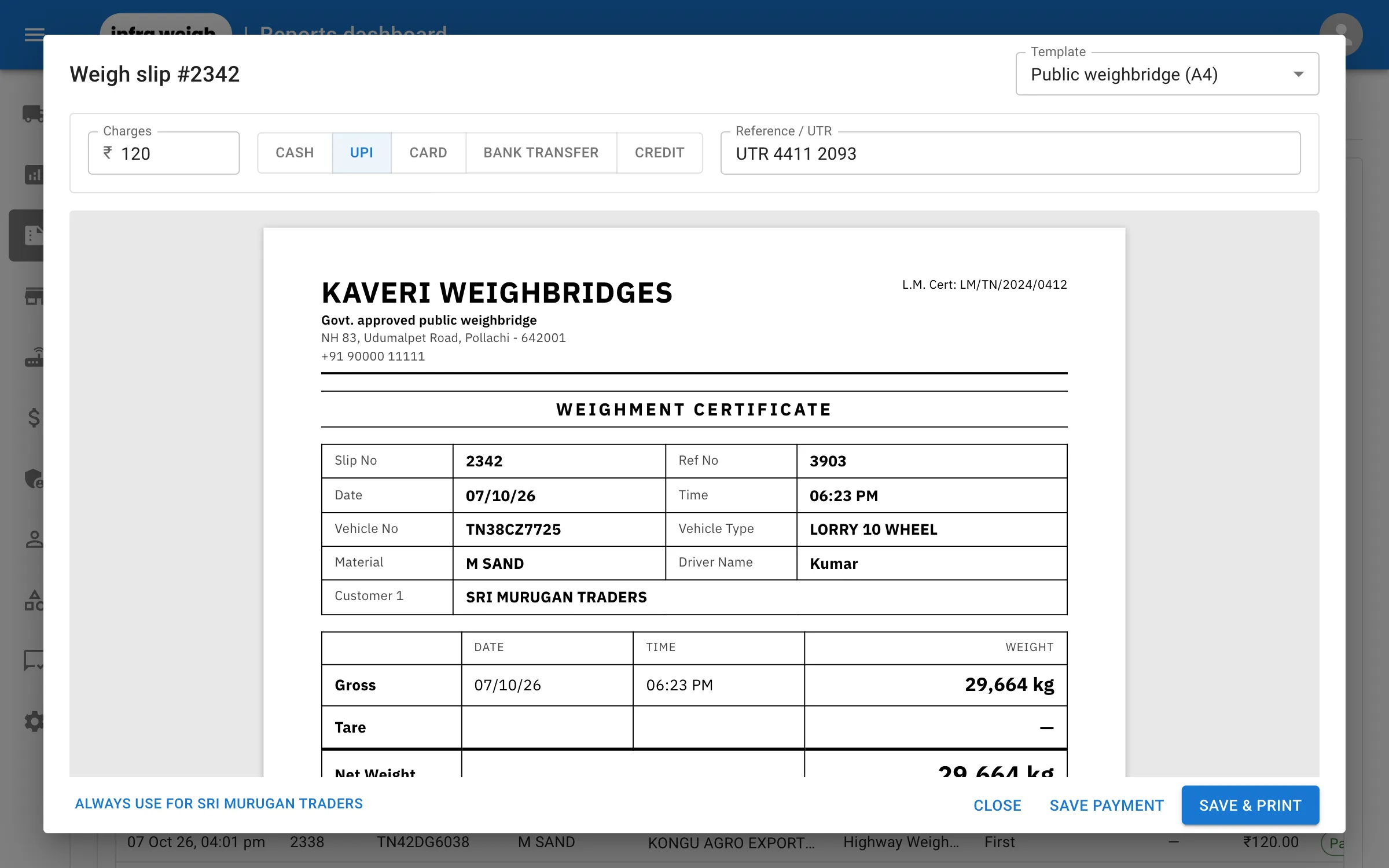
print the slip your customers expect.
Choose from five slip layouts, or keep printing on your existing pre-printed stationery. Payment is taken once the weighing is done, in the same dialog. Your own material prints with no charge.
- Public A4, two-copy A4, Standard A5, thermal roll and pre-printed overlay
- Set a default for the business, change it for one weighbridge, and remember each customer's choice
- Cash, UPI, card or bank transfer, or credit with part payments when Accounts is on
- Reprint any slip at any time, from any site
- Buyer, seller and trader recorded on one ticket
a ledger that can't be quietly edited.
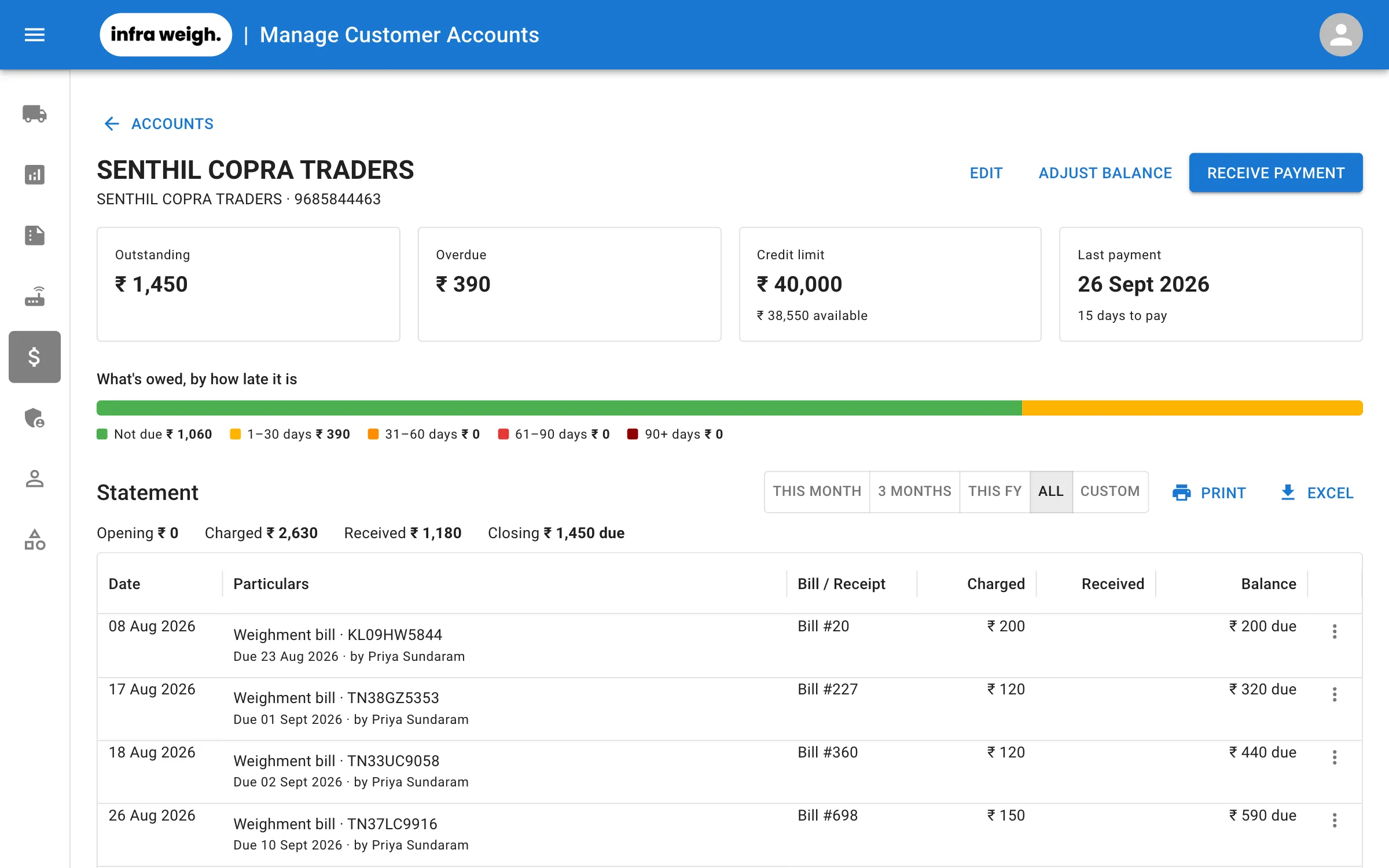
Switch Accounts on if you give credit. Credit bills, payments and receipts then go into an append-only ledger, and a mistake is undone with a reversal entry, so the history is never lost. Leave it off and there's no payment step at all.
- Credit limit per customer, or block credit completely
- Only managers can go over a limit. Blocked credit can't be overridden
- Numbered receipts for every payment, and printable statements
- Overdue ageing shows who owes what, and since when
- A payment is never recorded twice, even if the button is pressed twice on a slow connection
every party gets the bill, instantly.
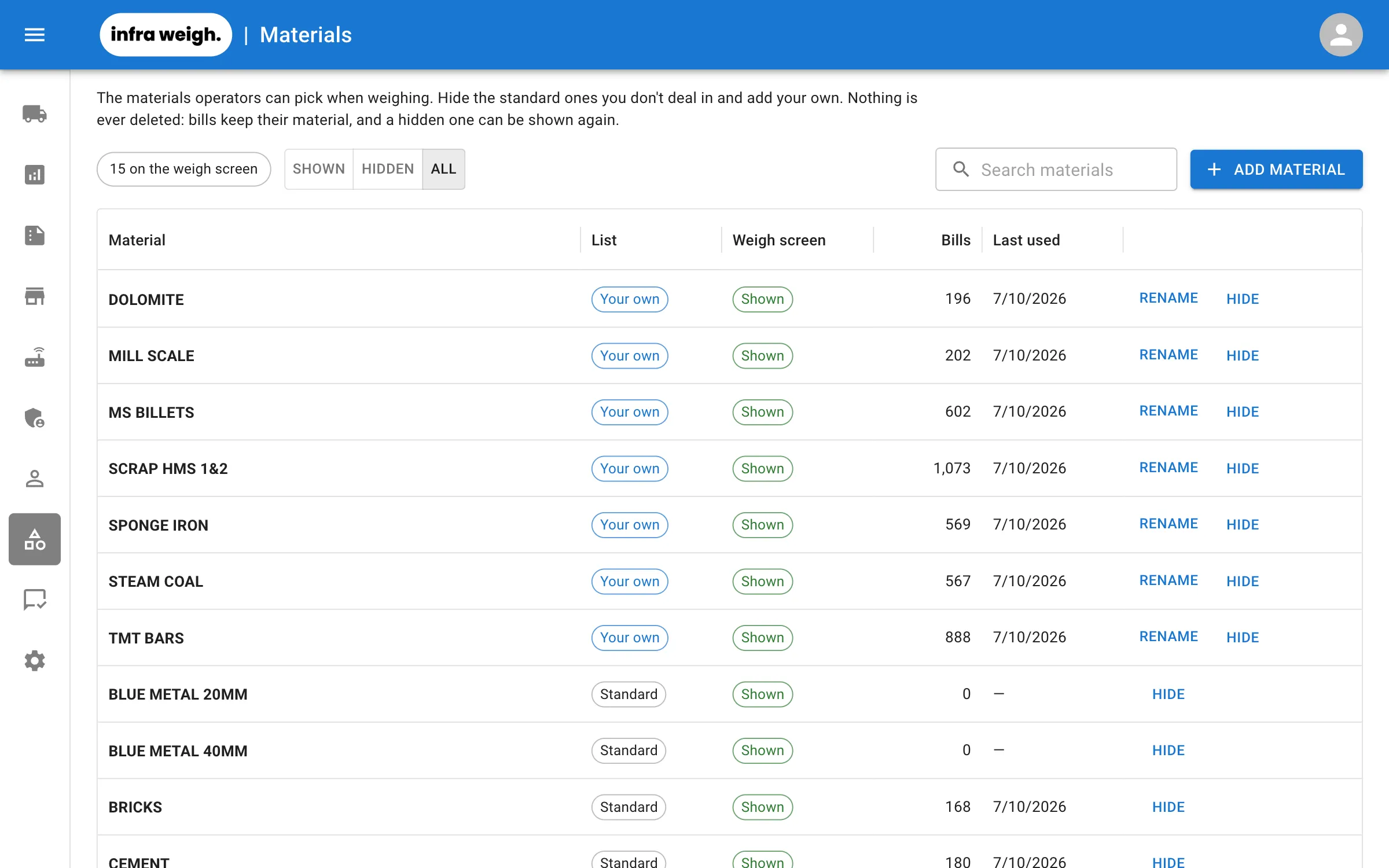
As soon as a bill is saved, the buyer, seller and trader each get a copy. WhatsApp and email include a picture of the slip.
- WhatsApp, SMS and email, sent automatically
- Two numbers per customer, each with its own channels
- A message log shows what was sent, to whom, and whether it failed
- Send a bill again with one click
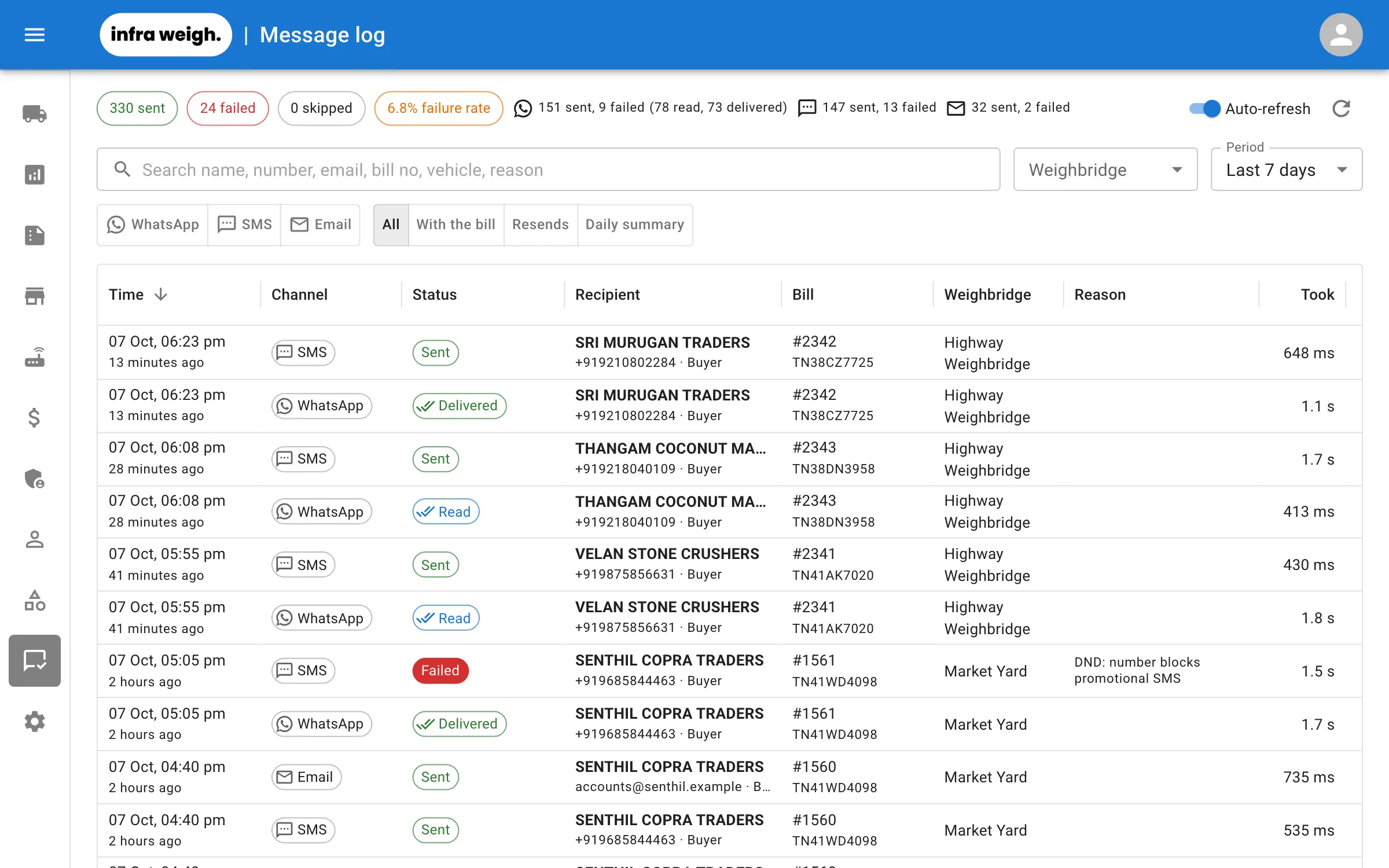
the day's movement, every evening.
At the hour you pick, Infraweigh sends the owner what came in, what went out and what moved between your units. The short version goes on WhatsApp; the full one by email.
- Inward, outward and transfer totals by material, with the net change in stock
- Trucks still inside at the time it's sent
- Email adds suppliers, buyers, each weighbridge and a spreadsheet of every trip
- Up to five people, each on WhatsApp, email or both
- Evening hours cover that day; morning hours cover the whole day before
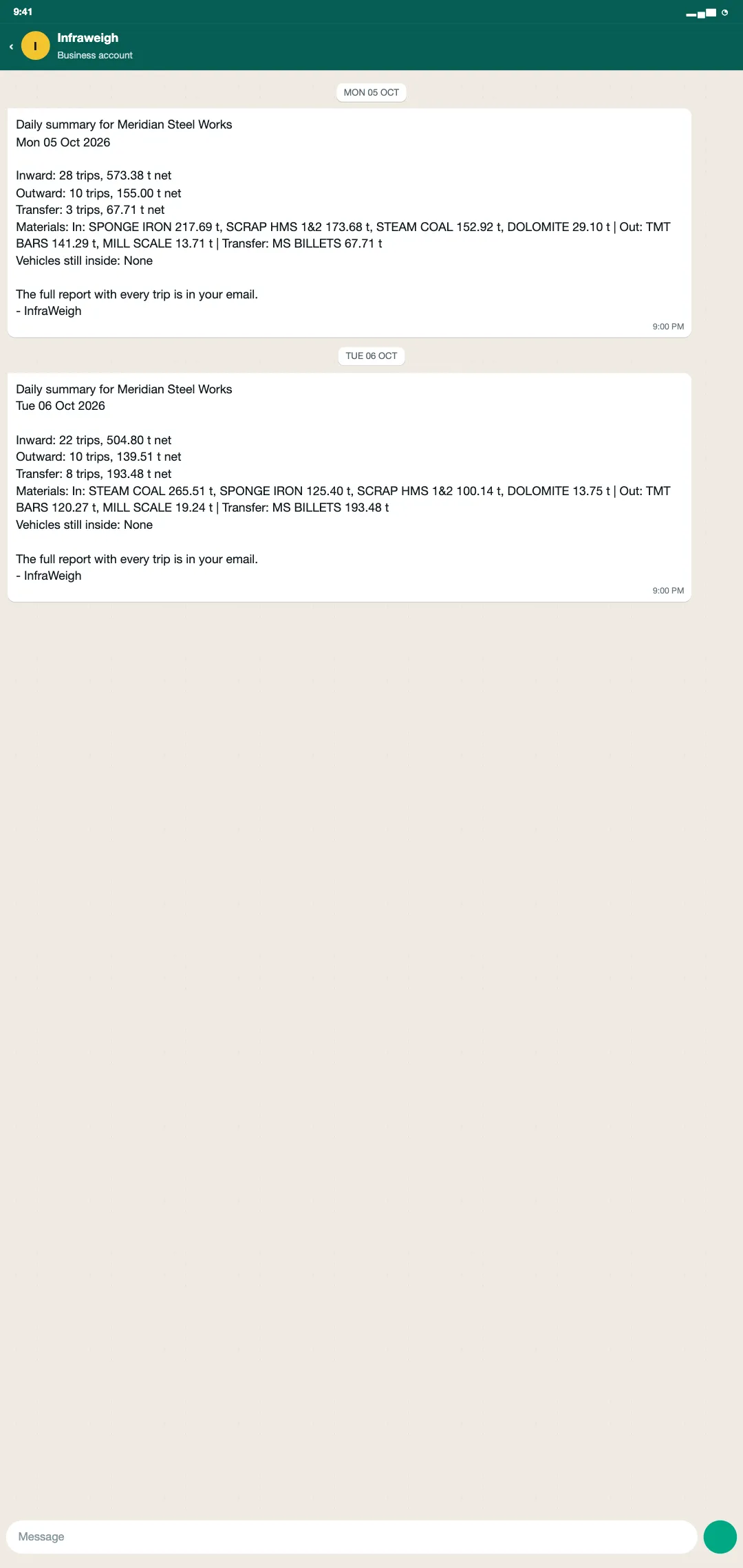
know the day before it ends.
Two dashboards for two jobs. The weighing business shows billing, collections and regular customers. Your own material shows stock in and out by material, supplier and buyer. Every report downloads to Excel.
- Today, this week, this month, financial year or custom dates, compared with the period before
- Plain-language findings: unsettled bills, trucks inside too long, trips with no direction
- Bills register filtered by any field, including movement and inventory ID
- Ledgers and statements for the accountant, when Accounts is on
- Find any bill by number, vehicle or party in seconds
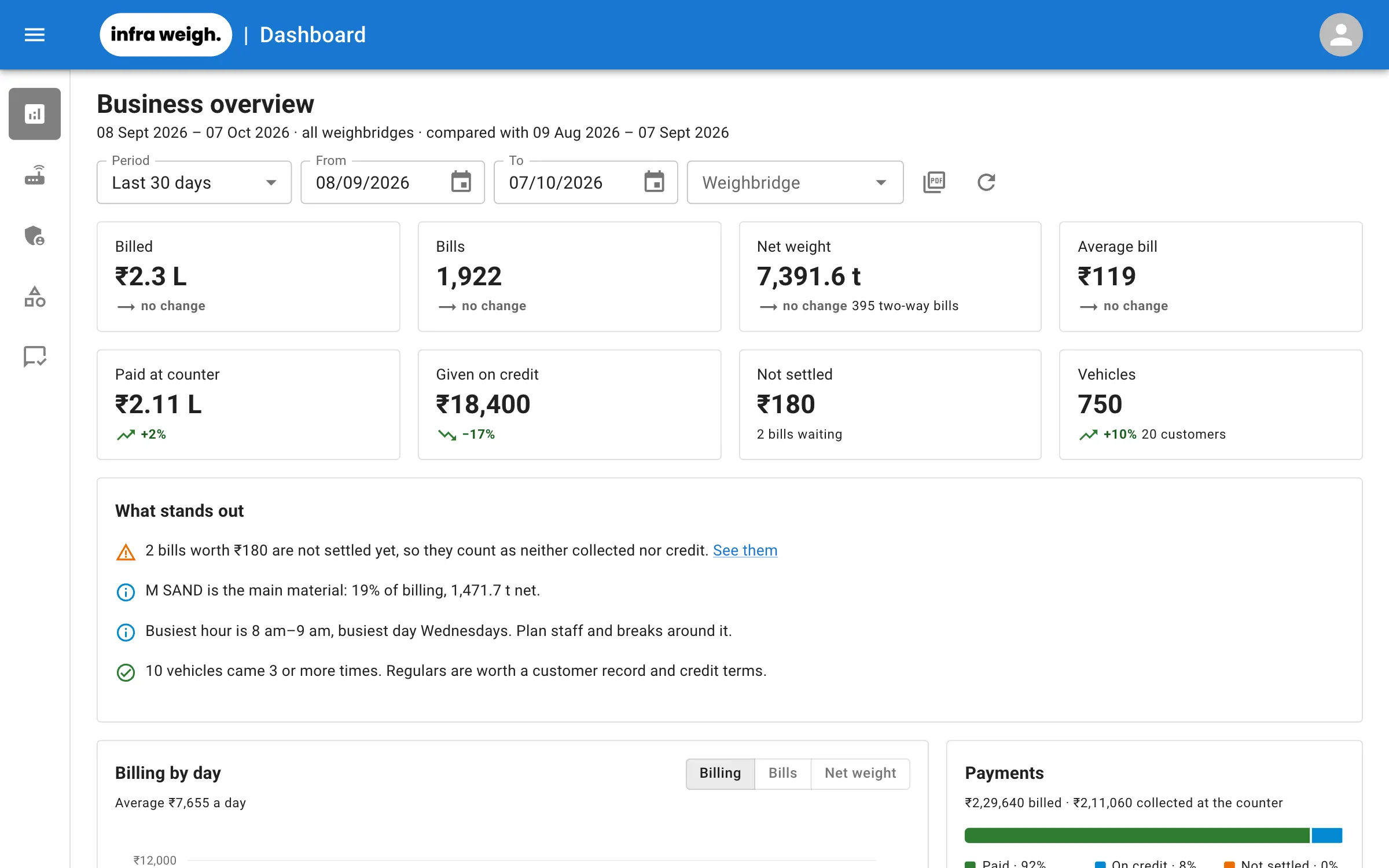
operators pick from your list, not everyone's.
Every business starts from a standard list of materials. Hide the ones you never handle and add your own, so the weigh screen offers only what you deal in.
- Add your own materials, in your own words
- Hide standard materials you don't use; old bills keep them
- See how many bills use each material, and when it was last weighed
- Nothing is deleted, so reports for past years stay intact
one office for every weighbridge.
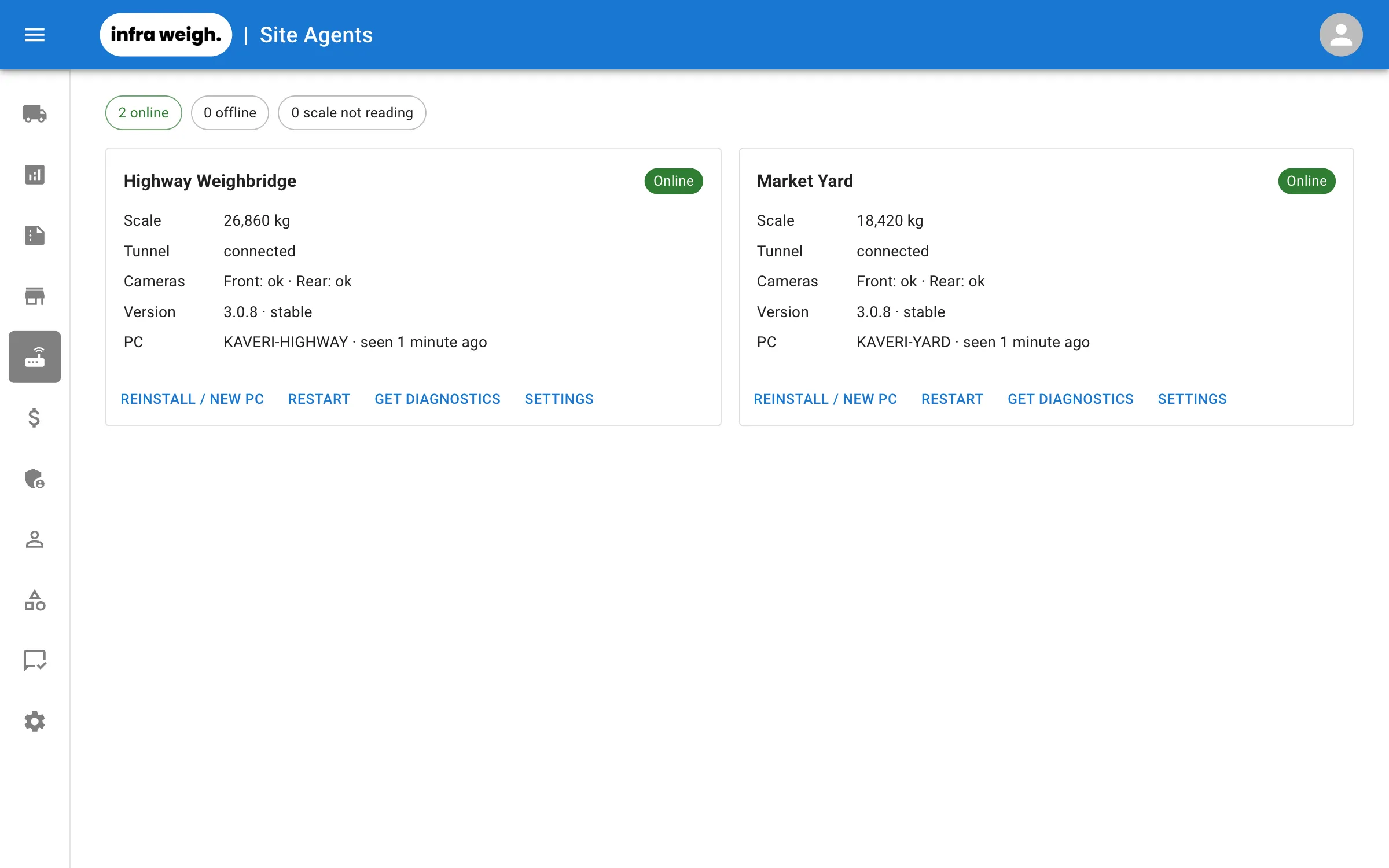
Set everything up once, from anywhere. Changes reach the weighbridge PC by themselves, so nobody has to drive out to fix the PC.
- Indicator settings and slip formats managed centrally
- Install a new site with a one-time code. Nothing else to type
- Agents update themselves, and roll back automatically if an update fails
- Email alerts when a site or its scale goes offline
- Remote diagnostics from the office, without visiting the site
- Secure tunnel to every site, with no port forwarding or static IP needed
everyone sees what their job needs.
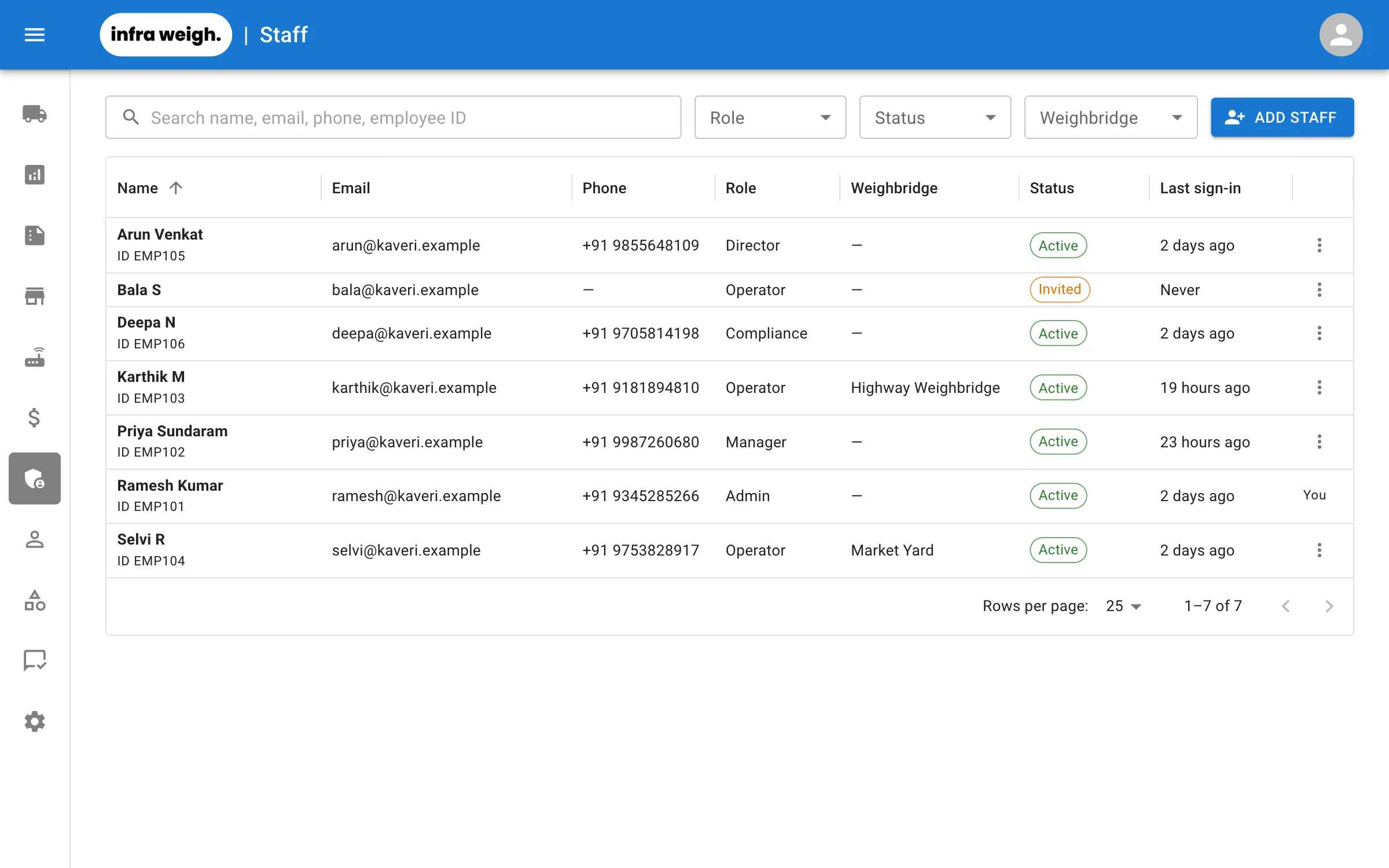
Operators weigh and take payments. Managers handle limits and corrections. Admins set up the business. Every change is logged.
- Operator, Manager, Admin, Support and Compliance roles
- Optionally limit operators to their own weighbridge
- Audit log of who changed what, and when
- Your team signs in at your business's own web address
- Data stored in India, kept separate for each business
your customers serve themselves.
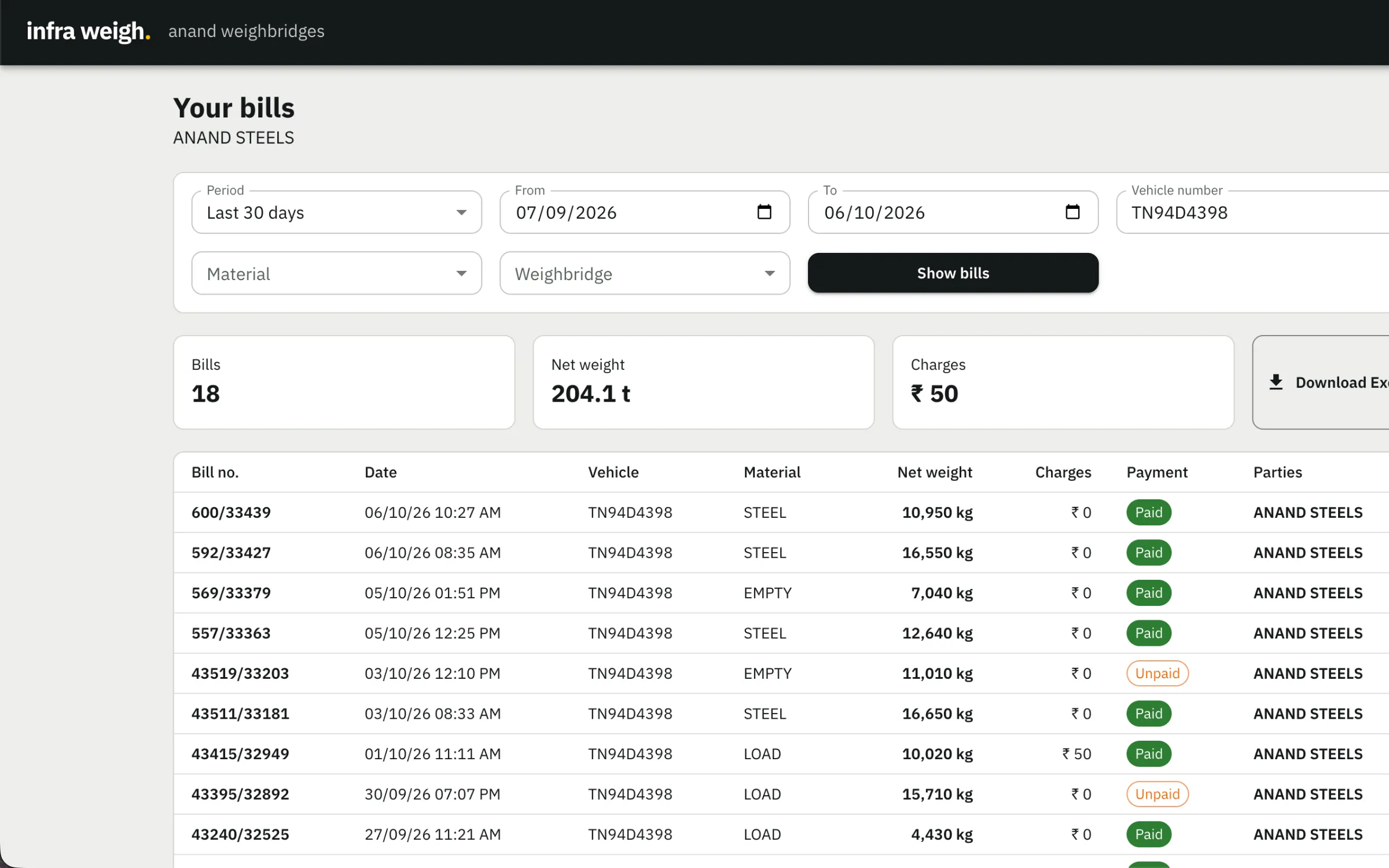
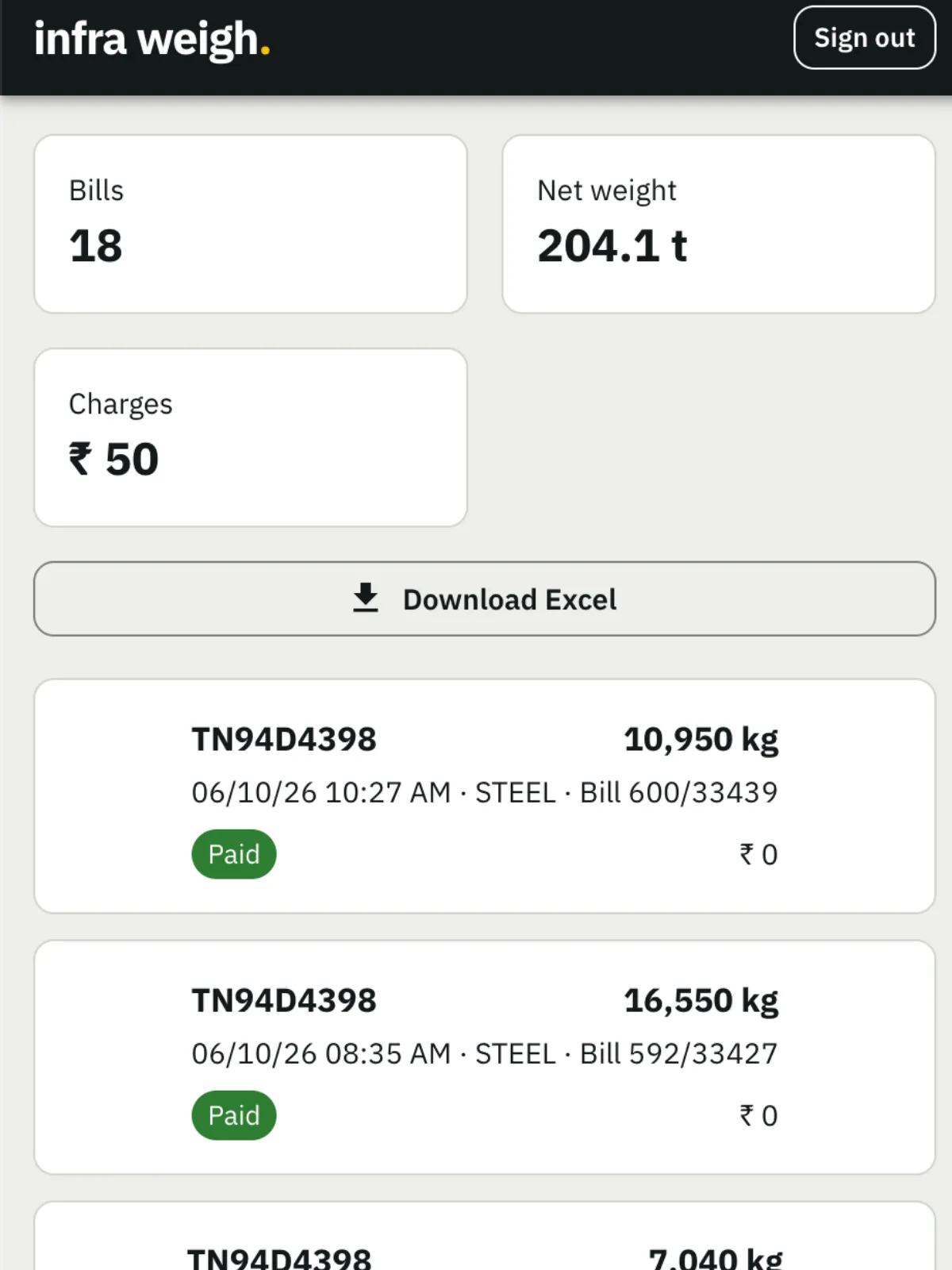
Customers sign in with their mobile number and a one-time code, and see only the bills they were a party to, across all your weighbridges.
- Bills with filters, totals and Excel download
- View and print any weigh slip
- Other parties are shown by name only, never by number
Android app coming soon
and much more.
All of this is part of the same system, with nothing extra to buy or set up.
Excel everywhere
Bills, ledgers and summaries for any dates, weighbridge or customer.
Instant search
Parties, vehicles and materials come up as you type.
Customer numbers
Type a customer's number at the window instead of searching for a name.
Camera snapshots (optional)
Snapshots from up to two IP cameras stay with the bill.
Old data imported
We bring customers and history across from your current software.
Installs like an app
Pin the terminal to the desktop and run it full screen.
Always up to date
New features arrive automatically. There's nothing to reinstall.
Secure sign-in
Invite-only staff accounts with safe password resets.
see it on your own scale.
Book a demo and we'll run Infraweigh with your indicator and your slip format, or start the free trial right away.